 Acti
ActiWear OS · Galaxy Watch
Your whole day, drawn as it happens.
Actidial turns steps, active minutes and calories into cumulative curves across the day — with a yesterday-shaped projection of where you're heading, weather, and your next two appointments. Tap for the full interactive chart.
- Distance
- Active minutes
- Calories
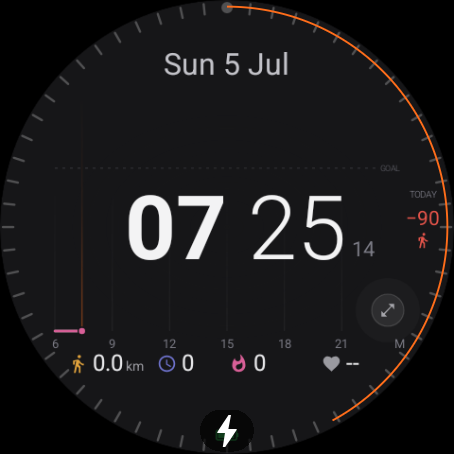
Curves, not rings
See the shape of your day build up — and a dotted projection of where it lands by bedtime.
Weather that's useful
Now, the next change today, and when rain starts — plus tomorrow's high and low.
What's next
Your next two calendar events, right on the face. No wrist-raise to your phone.
Everything on one face
Actidial is built for people who like their data dense and honest. Here's what's actually on screen.
Cumulative activity curves
Three lines climb across the day toward your goals: distance (amber), active minutes (indigo) and calories (rose).
- A solid line up to now, then a dotted projection shaped like yesterday's day.
- A faint yesterday ghost curve behind today for an at-a-glance comparison.
- A GOAL line and a bezel progress arc that fills as you move.
- Deficit / surplus badges — red when you're under, green tick when the goal's met.
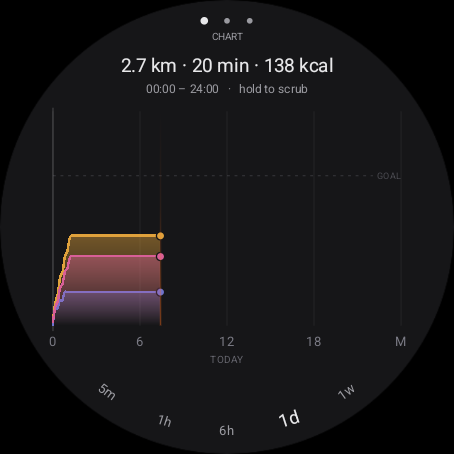
Tap for the full chart
One tap on the face opens the interactive chart app. Turn the bezel or rotary to switch fixed time scales along the arc: 5m · 1h · 6h · 1d · 1w.
- CHART — the cumulative curves, with a totals header (e.g. 2.7 km · 20 min · 138 kcal).
- RATE — per-period activity as bars, so you can see when you actually moved.
- DAYS — a plain numbers table: steps, active minutes, calories, distance per day.
- Hold to scrub a cursor across any point for exact values.
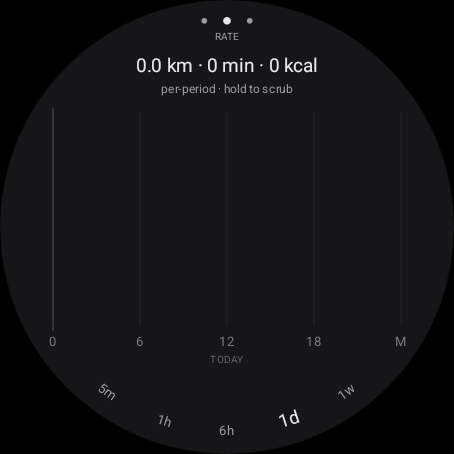
See when you actually moved
The cumulative view is great for the day's shape; the RATE tab flips it to per-period bars so bursts of activity — and the quiet stretches — stand out.
- Same time scales (5m · 1h · 6h · 1d · 1w) on the bezel arc.
- Hold to scrub for the exact figure in any period.
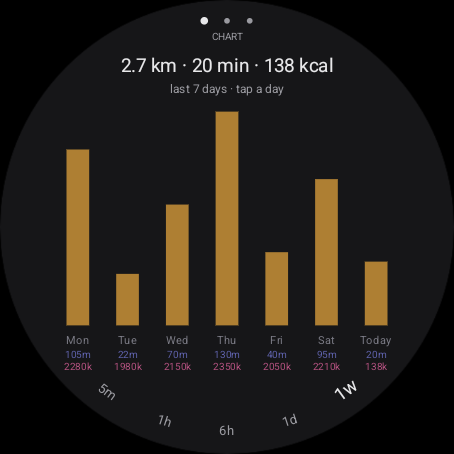
The week at a glance
Zoom out to 1w for the last seven days as daily bars — each tagged with active minutes and calories. Tap a day to drill in.
- Spot streaks and off days without opening your phone.
- Green marks days where you met the goal.
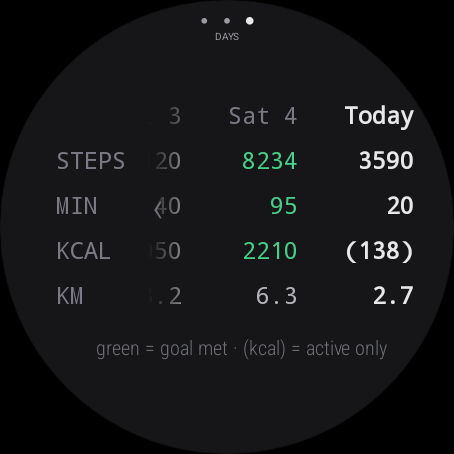
Just the numbers
The DAYS table lays out steps, active minutes, calories and distance side by side. Green means the goal was met; a value in brackets is active-only calories.
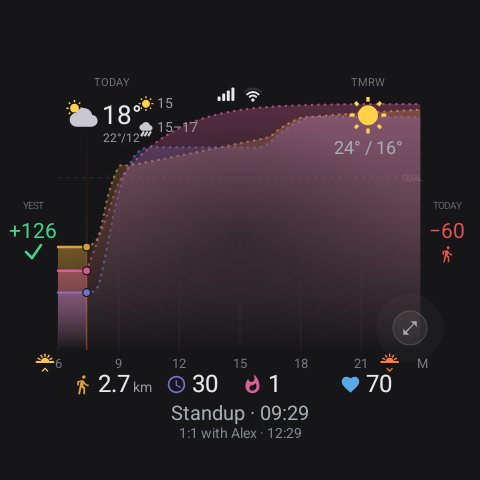
Weather & what's coming up
Actidial reads your activity, but it doesn't stop there.
- Weather — current conditions and temp, the next change today, and when rain is due; tomorrow's high / low up top.
- Calendar — your next two events with title and time.
- Deficit / surplus — yesterday's result and today's running gap side by side.
Weather uses Open-Meteo (keyless) out of the box — no account required.
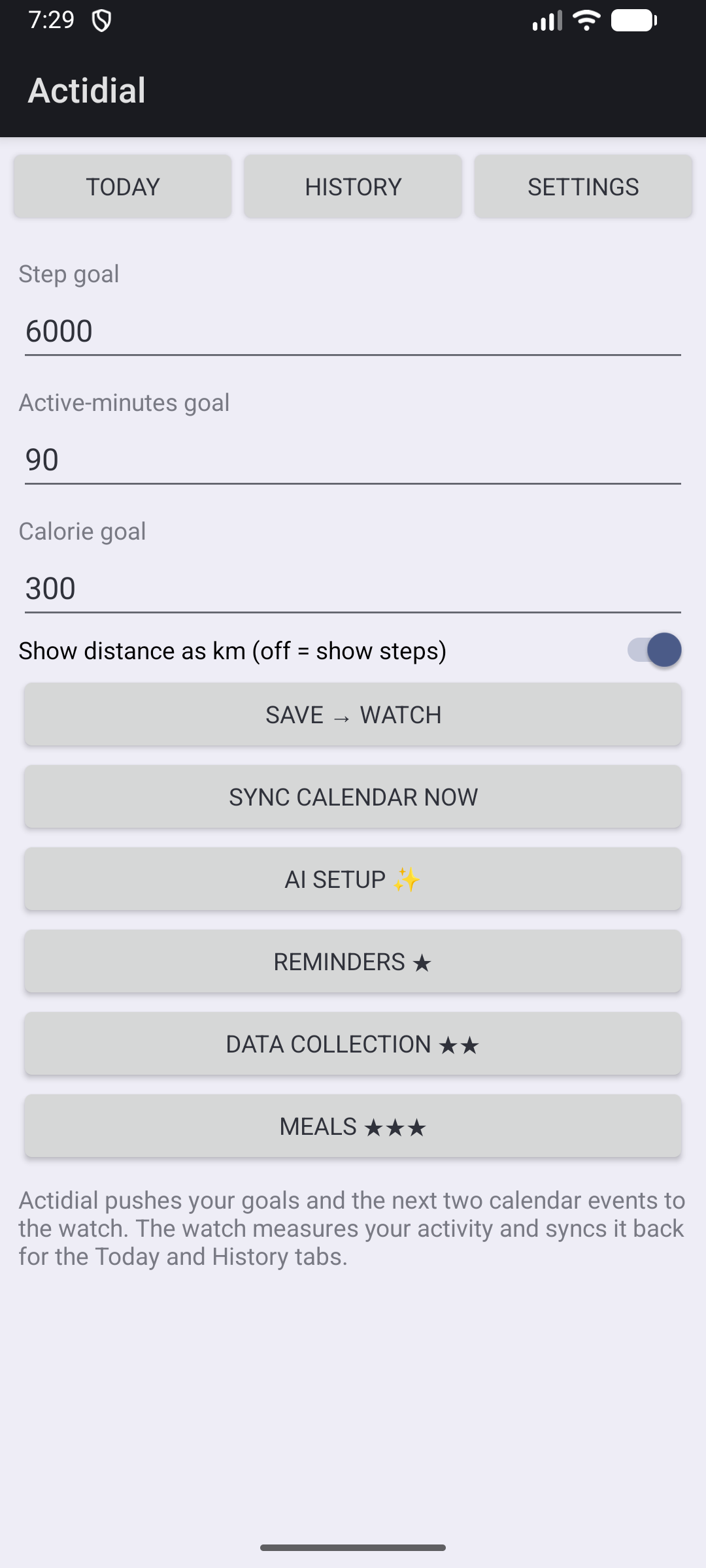
A slim phone companion
The phone app is optional. When you use it, it:
- Sets your goals and distance units, and pushes them to the watch.
- Sends your next two calendar events to the face.
- Mirrors the same activity graphs and history the watch collects.
Your watch measures activity on its own — the phone isn't required for the face to work.
Free core, optional premium
The face, charts, weather and calendar are free — no account, no ads, no trackers. Premium add-ons unlock in the phone app.
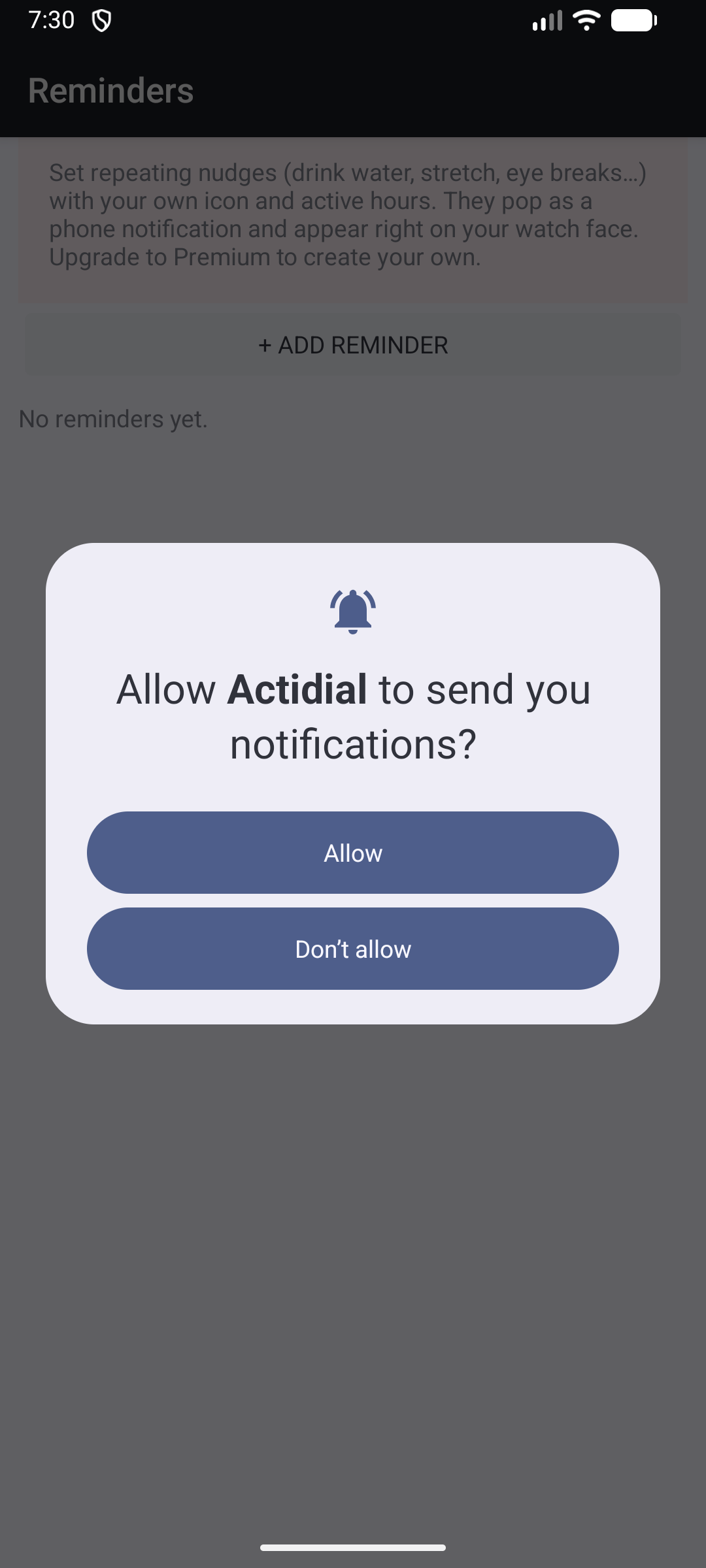
Custom reminders Premium ★
Set your own repeating nudges — drink water, stretch, eye breaks — each with an icon and active hours. They arrive as a phone notification and show up on the watch face.
Higher tiers add custom data-collection prompts, an AI configuration chat, and a photo-based meal calorie estimator.
| Feature | Free | Premium ★ | Premium+ ★★ | AI ✨ | Premium+++ ★★★ |
|---|---|---|---|---|---|
| Watch face & activity curves | ✓ | ✓ | ✓ | ✓ | ✓ |
| Interactive chart (CHART / RATE / DAYS, week view) | ✓ | ✓ | ✓ | ✓ | ✓ |
| Weather & next-two appointments | ✓ | ✓ | ✓ | ✓ | ✓ |
| Custom reminders (nudges on phone + watch) | — | ✓ | ✓ | ✓ | ✓ |
| Custom data-collection prompts | — | — | ✓ | ✓ | ✓ |
| AI configuration dialogue | — | — | — | ✓ | ✓ |
| Meal calorie estimator (photo → macros) | — | — | — | — | ✓ |
| AI insights (scheduled) | Coming soon — a future Premium++ add-on. | ||||
The AI ✨ add-on is a separate unlock and pairs with any premium tier. AI features are opt-in and send only summarised activity — see the privacy page.
Questions
Which watches does it run on?
Wear OS 4 or newer (Galaxy Watch first). The phone companion needs Android 10 or newer. Actidial self-collects activity on the watch, so it works without Samsung Health.
Do I need the phone app?
No. The face, charts and weather run entirely on the watch. The phone app only adds goal editing, calendar push, and mirrored history — plus the premium add-ons.
Is my activity data sent anywhere?
Not by default. Activity stays on your devices unless you turn on an AI feature, which sends a summary (never raw sensor streams) to the backend. Full detail on the privacy page.
Why are there three parts to install?
Wear OS watch faces can't contain code, so the face and the app that draws the activity graph are separate packages. You install the app first, then the face, then (optionally) the phone companion. The install guide walks through it.
How's the battery?
Actidial uses passive activity monitoring and a low complication refresh rate. Expect a small, normal watch-face draw — see battery expectations in Help.
Ready to try it?
Play Store listing is coming soon. In the meantime you can sideload the apps in a few minutes.